
How it sets up on a laptop.
Roll it out through your MDM, one team first.
Install through your MDM
The sensor and the browser extension roll out like any managed app.
JamfIntuneIru
Find every AI tool
Desktop assistants, AI websites, coding agents, agent gateways and local MCP servers, approved or not.
See who runs each one
Every tool tied to a person and a device, with the tokens and grants it holds.
Check what people share
Prompts, pastes and uploads in managed browsers, named by data class.
Point to the approved tool
When sensitive data is headed for a personal account, the extension offers the company workspace.
Send it to the owner
Each finding reaches the person who answers for the tool.
SlackJira
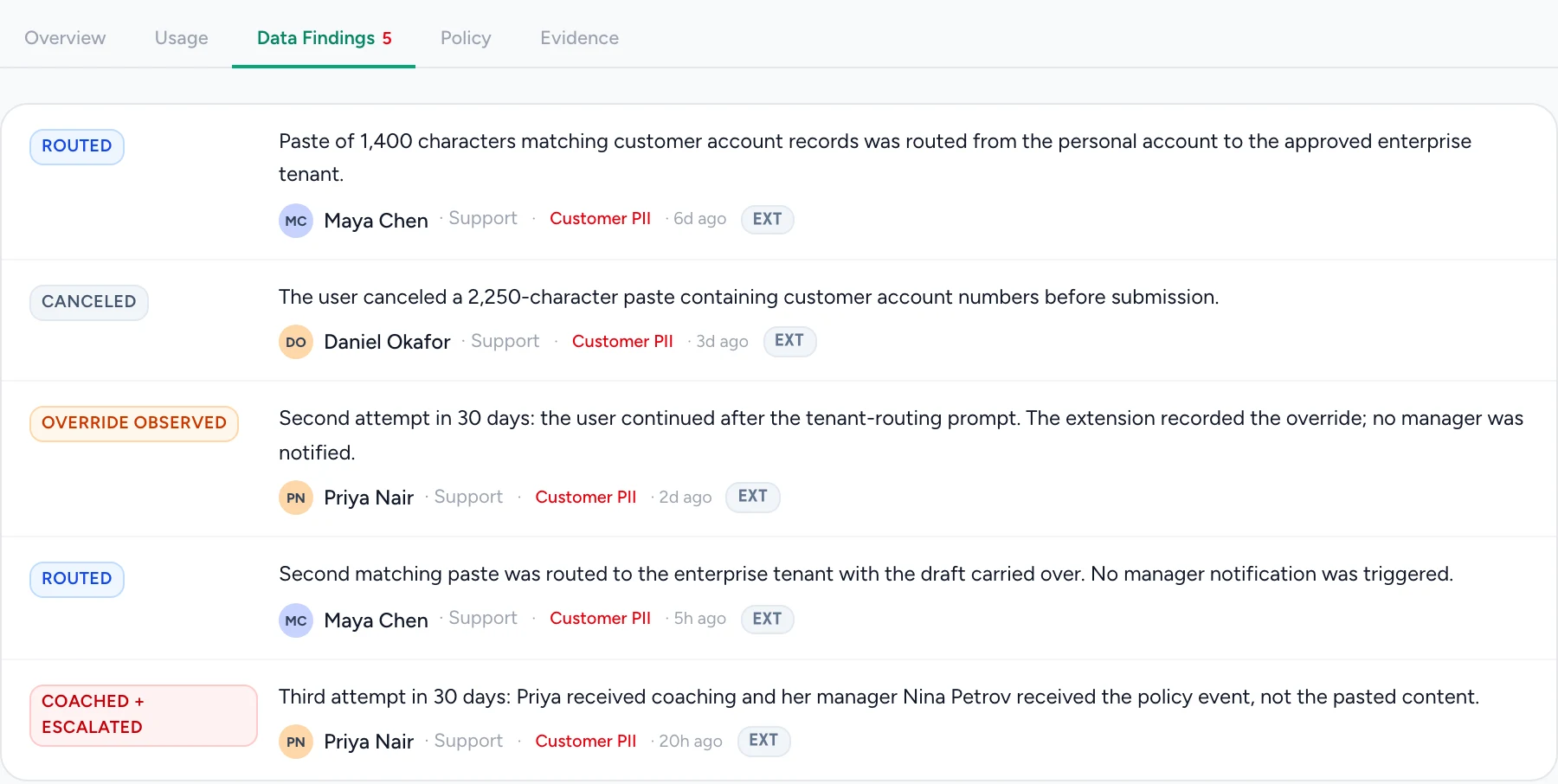
A paste of customer data, routed to the approved tool.
When someone pastes customer records into a personal ChatGPT account, the extension names the data and offers the company workspace. Whether they switch, cancel or continue goes on the record.
Scroll the image to inspect the details.
On the laptop and in the browser.
- On the laptop
- The sensor lists desktop assistants, coding agents, agent gateways and local MCP servers, with the person, the device, and what each one can reach and run.
- In the browser
- The extension checks prompts, pastes and uploads for sensitive data, offers the approved tool, and records whether the person switched, canceled or continued.
How is it deployed?
Through the MDM you already run, such as Jamf, Intune or Iru, like any managed app. Start with one team and read their register the same day.
Does Guard0 stop people using AI?
No. It shows what is in use and coaches in the moment: when a prompt carries sensitive data, the extension offers the approved tool in one sentence and one button. Guards run only where you turn them on.
How is this different from EDR?
EDR watches processes and binaries. A coding agent installing a package looks like a developer running a package manager, so nothing alerts. Guard0 records the agent itself: what it holds, what it ran and who answers for it.
What does a manager receive?
When a case is escalated, the manager receives the policy event: the person, the data class and the outcome, without the pasted content.