How your platforms connect.
Connect one platform first, through its admin and audit APIs.
Connect a platform
An admin grants read-only access, once for each platform.
Copilot StudioAgentforceServiceNow
Bring in its agents
Every agent, its maker, its connectors and the scopes it was issued.
Add what they did
Runs and conversations from the platform’s audit logs, next to each agent.
Test them
Red-team an agent through the platform and retest after a fix.
Apply your policies
Flag what breaks them and make the change through the platform, with your approval.
Give each agent an owner
Every finding goes to the person who answers for the agent.
JiraSlackSplunk
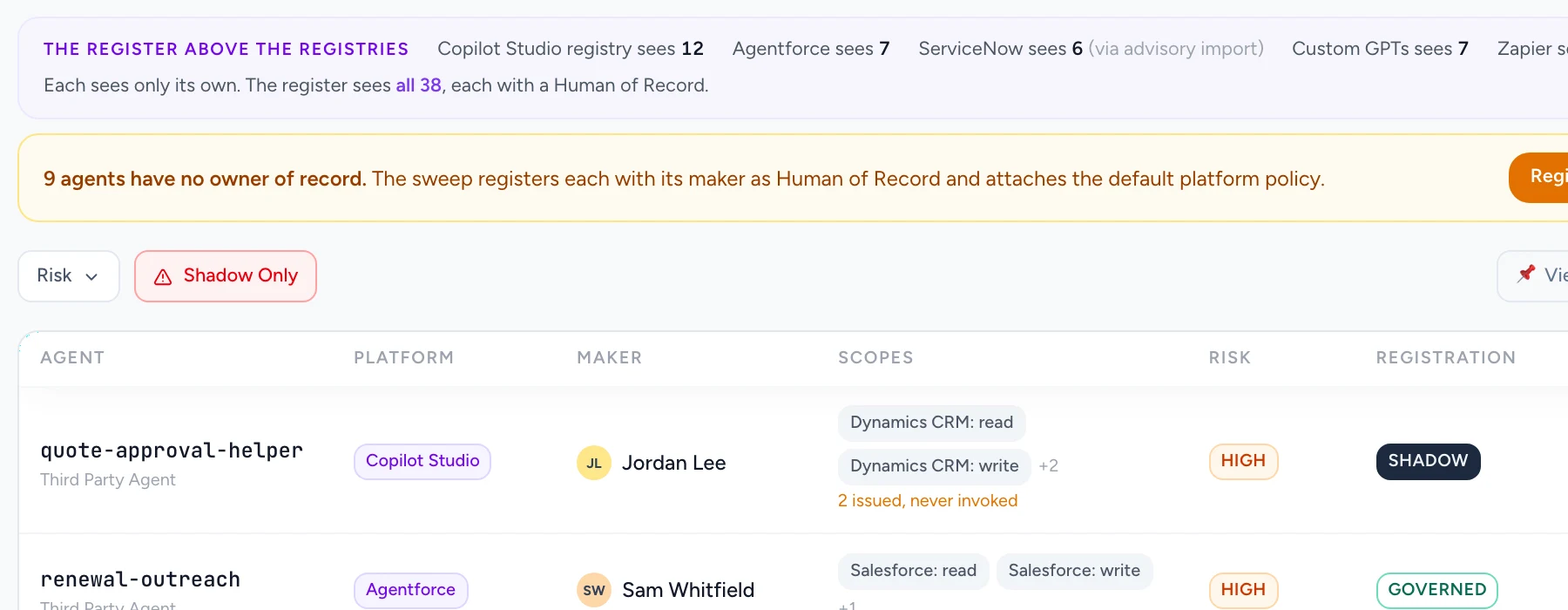
38 agents across five platforms. Nine without an owner.
One register above Copilot Studio, Agentforce, ServiceNow, custom GPTs and Zapier, with every agent’s maker and the person who answers for it.
Scroll the image to inspect the details.
What Guard0 does in each platform.
- Inventory
- Agents, makers, connectors and scopes, read from each platform’s admin and audit APIs.
- Testing and action
- Red-team an agent through the platform. Revoke a scope or assign an owner through its admin API, with your approval.
Which platforms does Guard0 read?
Copilot Studio, Microsoft 365 Copilot, Agentforce, ServiceNow, Glean, Zapier, ChatGPT Enterprise, Claude Enterprise and many more.
Does Guard0 change anything in our platforms?
Only with your approval. Connections start read-only, and revoking a scope or assigning an owner goes through the platform’s admin API.
Is the agent’s maker its owner?
Not always. The maker is the person who built it. Your organization names the person who answers for it, and the register keeps both.
Start with one platform.
Connect it read-only and see every agent it holds, with an owner for each.